


Paysto Personal Account Login
To access your Paysto Personal Account, follow the instructions below.

Important: After 3 unsuccessful login/password attempts, your account access will be blocked. This block will not be visually displayed, and the password recovery function will not help in this case. To unblock, immediately contact Paysto support.
Successful Login
To log in to your Personal Account, follow this direct link: https://account.paysto.com/Account/Logon.

You received the password for Personal Account access in an email after registration.
On the login page:
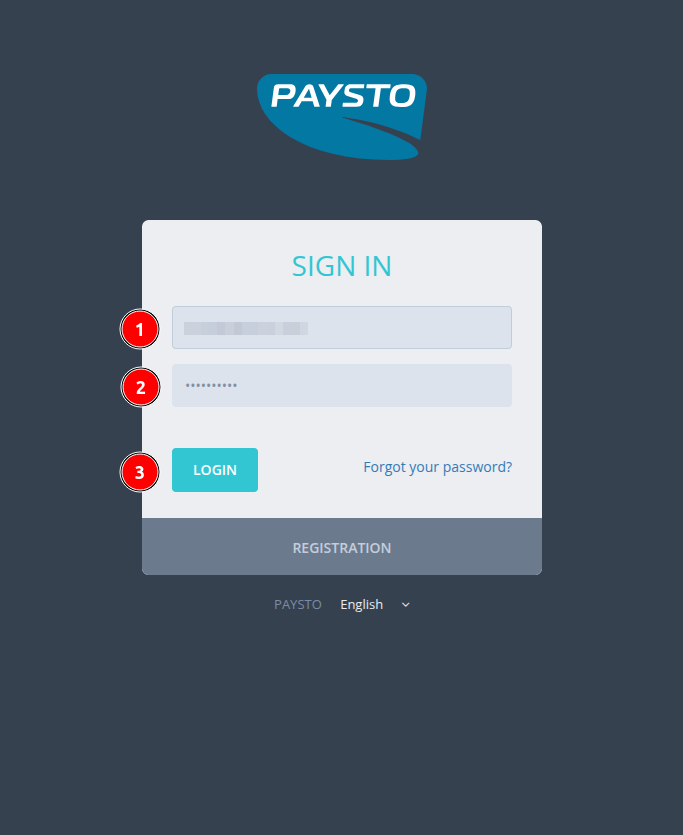
- Enter your email.
- Enter the received password.
- Click the
Log Inbutton.
Login Errors
If you make a mistake entering your email or password, the system will activate Captcha for additional verification.

Remember the 3-attempt rule: after the third incorrect entry, account access will be blocked. Password recovery in this situation will not help unblock it. To restore access, contact Paysto support.
Password Recovery
If you have lost or forgotten your Paysto Personal Account password, use the recovery form.
Click the "Forgot password?" link on the login form.
The recovery page will open:
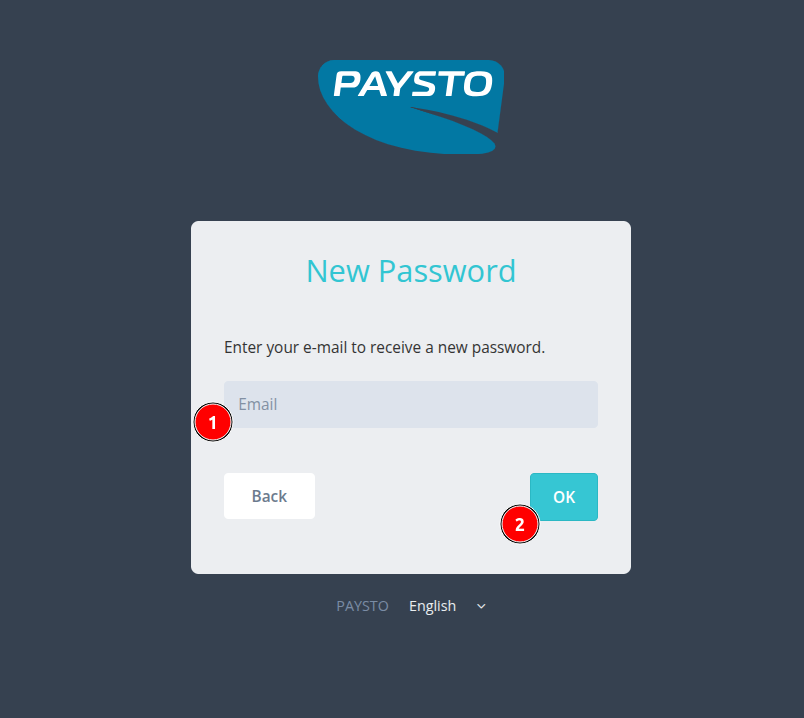
Enter your email.
Complete the Captcha.
Click the
Okbutton.
The system will automatically send a new password to your email.
The password recovery process is automated. The email with the new password is sent instantly, but sometimes it may end up in the SPAM folder. Please check this folder.
Password Change
To change your current password in the Personal Account:
Click on your profile image in the upper right corner.
In the dropdown menu, select
Settings.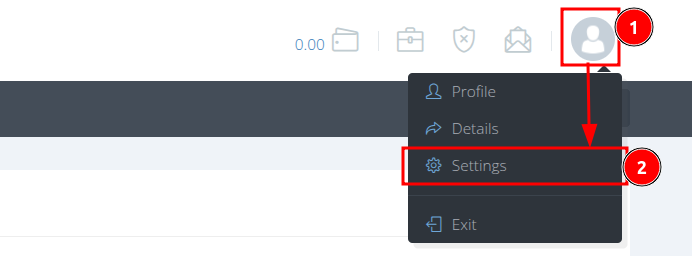
On the
Settingspage, go to thePasswordtab.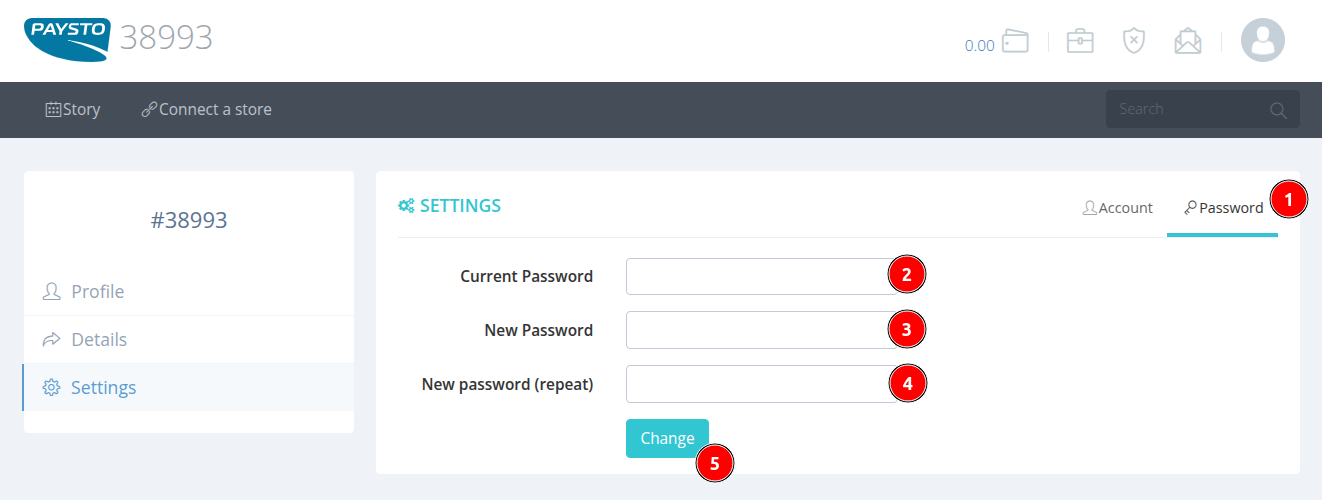
Enter your current password.
Enter your new password.
Re-enter your new password to confirm.
Click the
Changebutton.
A window will open to confirm the changes:
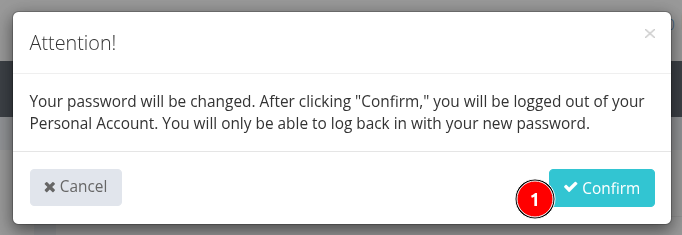
Click Confirm to save the changes. After this, you will be automatically logged out of the Personal Account and redirected to the Login to account page. Use your new password to log in again.