

Domain Ownership Verification in Selectel
This guide will help you to place a TXT record to verify a domain that uses DNS hosting services in the Selectel cloud platform, as part of connecting to Paysto.

Important: Paysto generates a unique verification code for each web resource. Use only the code specified in the "Domain Verification" block on your web resource connection page to Paysto.
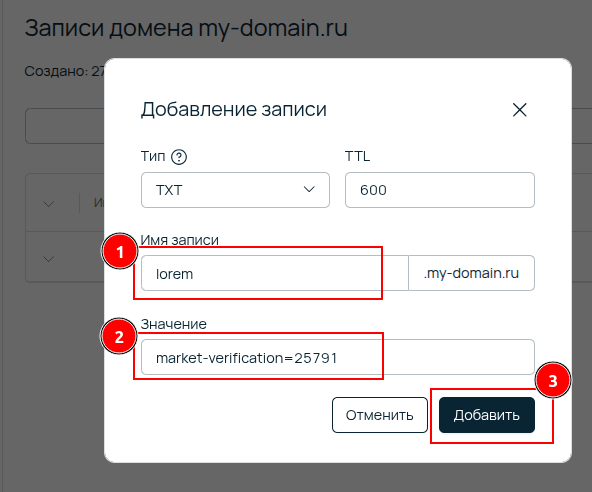
Example in this guide: web resource address lorem.my-domain.ru and TXT record value market-verification=25791 — do not use these values to verify your domain.
Step 1: Get TXT record data in Paysto
Open the request page for connecting your web resource to Paysto.
Go to the "Domain Verification" block. Here you will find the
Host(1) andValue(2) for your TXT record. Copy them: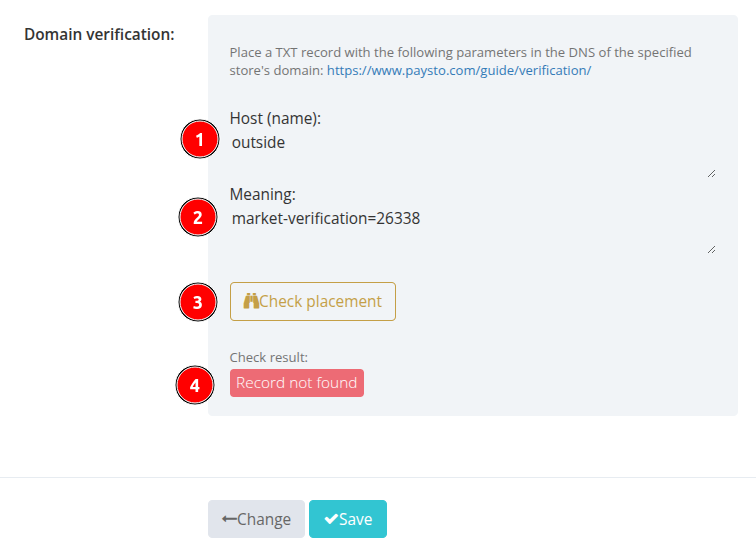
Step 2: Log in to the Selectel control panel
Log in to the Selectel control panel.
In the
Productsmenu, selectDNS Hosting Legacy: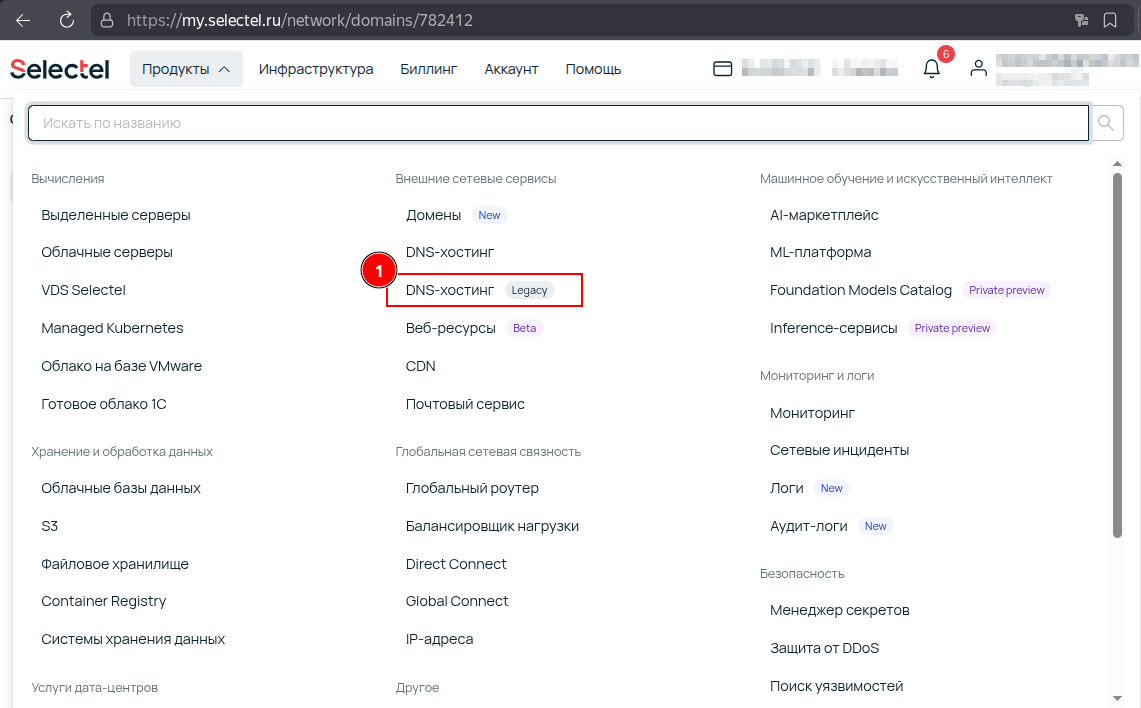
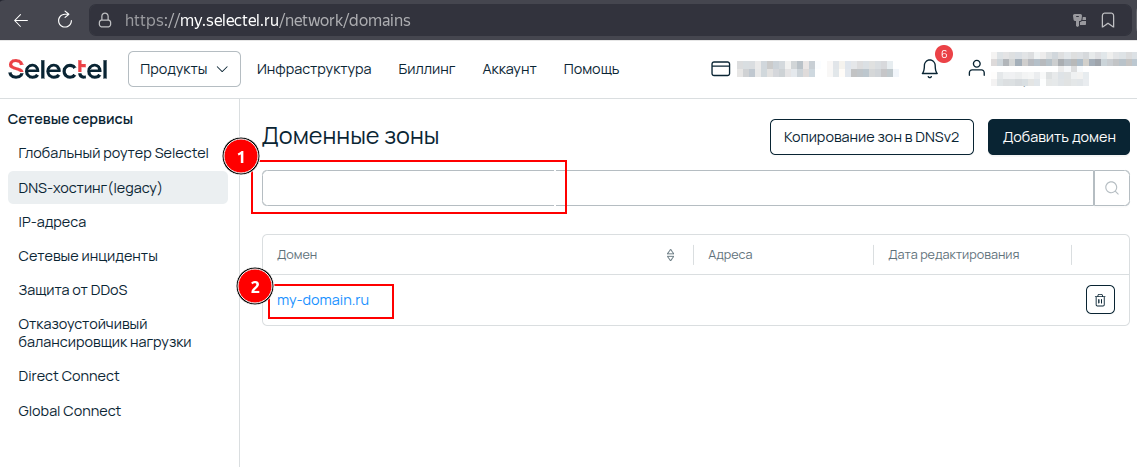
Find your domain in the list or use the search field.
Click on the domain name to go to its record management:
Step 3: Add a new TXT record
On the domain DNS record management page, click the
Add recordbutton: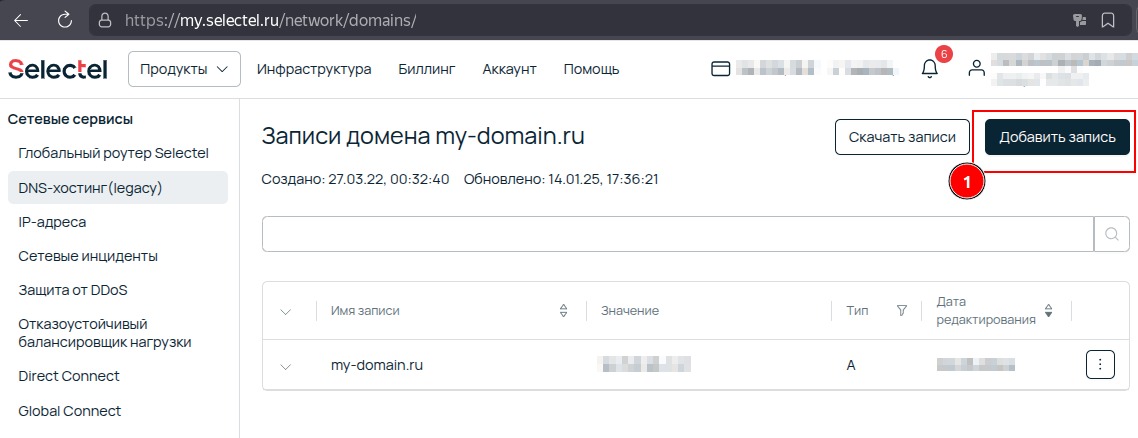
In the record creation form that opens:
Open the
Typedropdown menu and selectTXT: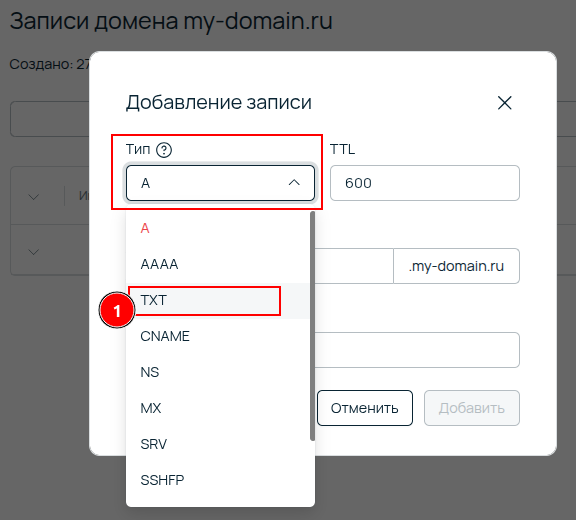
Record Namefield:- If your website is located at the domain root (e.g.,
example.com), leave this field empty. - If your website is located on a subdomain (e.g.,
shop.example.com), specify only the subdomain hostname, i.e.,shop. Make sure this matches theHost(1) field from Paysto.
Paysto will check the TXT record for the domain (or subdomain) you specified in the connection request. Make sure the
Record Namematches this value.- If your website is located at the domain root (e.g.,
In the
Valuefield: Paste the TXT record value you copied from Paysto (Value(2) field in Paysto).Click the
Addbutton to save the new record.
Step 4: Check TXT record placement in Paysto
- Return to the browser tab with the Paysto connection request form.
- Click the
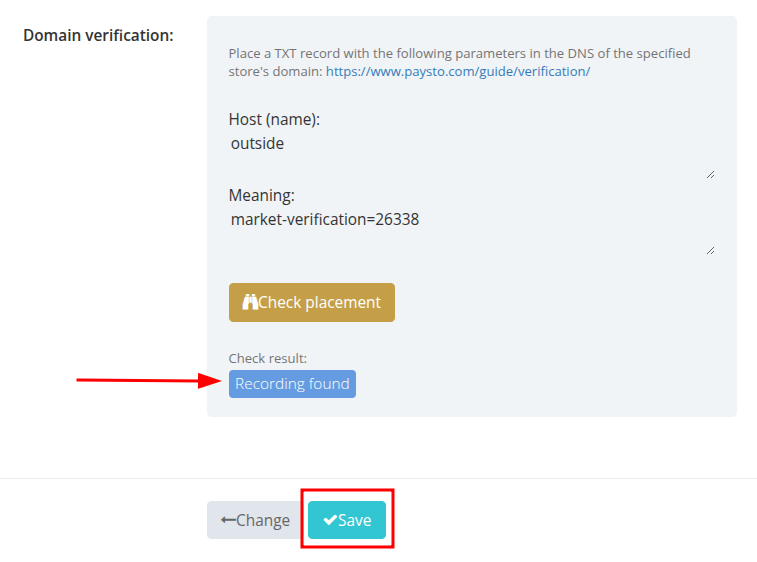
Check Placementbutton.
After a successful check, the status will change to "Record found":

If Paysto does not find the TXT record, check the correctness of the entered data in Selectel and try again after 10 minutes. If the problem persists, contact Selectel support or Paysto support.
Step 5: Complete the connection
Click the Save button to complete the domain verification process and submit your web resource for moderation in Paysto.